Examples for Chapter 15
pp. 588 and 596, XML Document and DTD
We have zipped together the sample document from p. 588 and the complete DTD listed on p. 596 that goes with it, and added a very small Ruby script that you can use to validate the document with respect to the DTD. Keep all these files in the same directory if you want to use the validation script. Try making some changes to the document and DTD, such as adding an optional field for the edition, and then check that your modified document still validates.
To use the validation script, you will need Ruby 1.8. with RubyGems, and libxml. (We do not know whether it will work on Windows.)
Download Zip archive file DMM3e-15-1.zip [3.3kB]
SVG Support in Web Browsers
The most recent versions of all popular browser provide a basic level of support for SVG. This is a fairly recent achievement, and support in older versions is patchy. Check the tables at the Can I Use... Web site to find out how well your browser supports SVG.
-
p. 606, A Simple SVG Drawing

-
p. 609, Shapes
 This file contains the version of Figure 15.4 that uses a
 pathelement. The alternativepolylineis included in the document, but has been commented out. -
p. 613, Linear Gradient Fill
 You will find some additional SVG code in this file, which is generated by Illustrator. This extra code can be ignored.
-
p. 613, Radial Gradient Fill
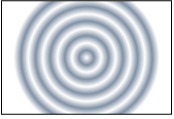 As with the previous example, you will find some extra SVG code in this file that you can ignore.
-
Transformations
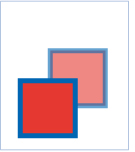
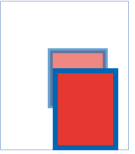
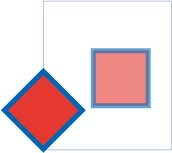
The SVG files for the examples of transformations on pages 614–616 include the border and reference rectangle, as shown in Figures 15.10–15.13, as well as the transforms applied to the rectangle. -
p. 614, Translation
-
p. 615, Scaling
-
p. 615, Rotation About the Origin
-
p. 615, Rotation About a Point

-
p. 616, Skewing

-
p. 617, Transforming a Group
 Both versions of the code shown on page 617 are included in this file. The version that does not use nested groups is commented out.
![Download SVG file DMM3e-15-2.svg [301.0bytes]](/download/DMM3e-15-2.svg)
![Download SVG file DMM3e-15-4.svg [639.0bytes]](/download/DMM3e-15-4.svg)
![Download SVG file DMM3e-15-8.svg [1.2kB]](/download/DMM3e-15-8.svg)
![Download SVG file DMM3e-15-9.svg [1.2kB]](/download/DMM3e-15-9.svg)
![Download SVG file DMM3e-15-10.svg [892.0bytes]](/download/DMM3e-15-10.svg)
![Download SVG file DMM3e-15-11.svg [889.0bytes]](/download/DMM3e-15-11.svg)
![Download SVG file DMM3e-15-12a.svg [885.0bytes]](/download/DMM3e-15-12a.svg)
![Download SVG file DMM3e-15-12b.svg [893.0bytes]](/download/DMM3e-15-12b.svg)
![Download SVG file DMM3e-15-13.svg [896.0bytes]](/download/DMM3e-15-13.svg)
![Download SVG file DMM3e-15-14.svg [1.1kB]](/download/DMM3e-15-14.svg)